


The Illinois Department of Revenue recommends making electronic payments because they’re faster, more secure, and easier to track. You’ll receive instant confirmation and can save a copy of your payment receipt for your records. The easiest way to pay your Illinois taxes is online at mytax.illinois.gov.
Below are step-by-step instructions (with screenshots) for making Illinois individual income tax payments online.
Step 1: Visit the Illinois Website
- Under the “Individuals” box, click on “Make an IL-1040, IL-1040-ES, or IL-505-I payment”

Step 2: Look-up your IL-PIN
- Select “Look up my IL-PIN” and enter your SSN and DL # or prior year AGI, check the confirmation box, and select conduct inquiry
- Note your IL-PIN for the next step and click back and home

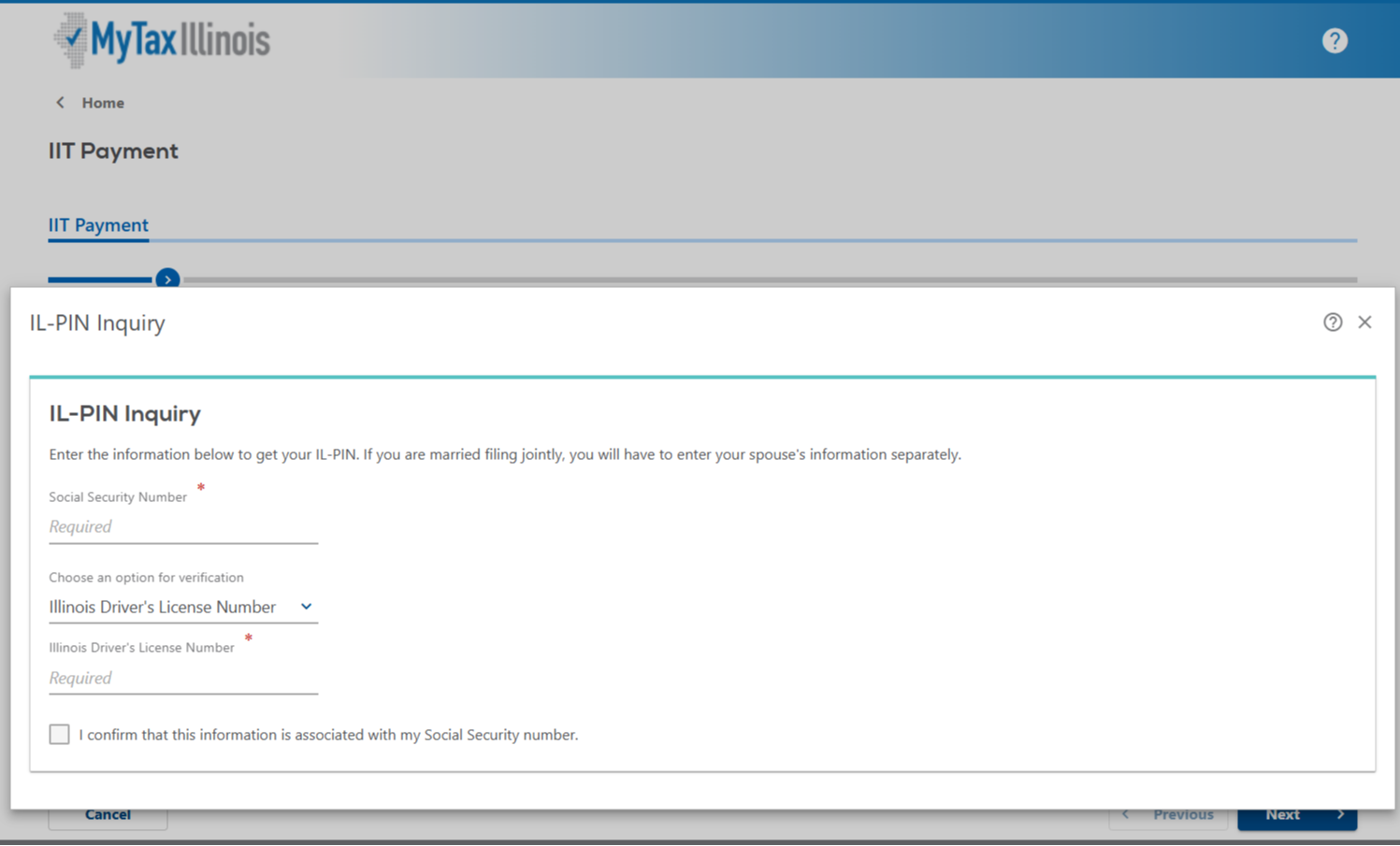
Step 3: Verify your identity
- Once you've noted your IL-PIN, click the blue "back" on the "IL-PIN Inquiry" screen
- Then, click the "x" icon in the top right corner of remaining "IL-PIN Inquiry" screen
- Complete the requested Taxpayer Information and select “Next”

Step 4: Select Details of the Payment
- Choose the type of payment you are making:
- IL-1040 Payment (Balance Due)
- IL-1040-Estimated Tax Payment
- IL-505-I (Extension)
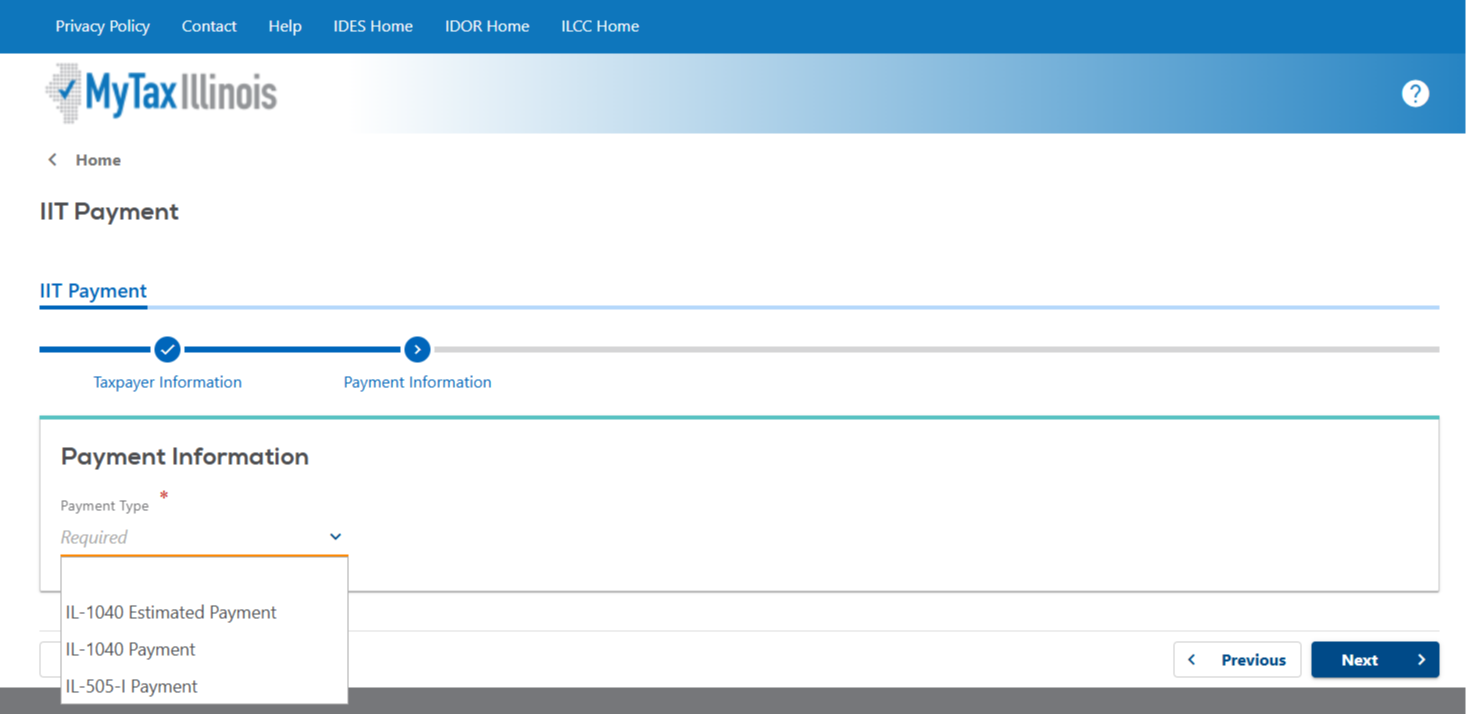
- Once the "Payment Type" is selected, additional options will appear.
- For Balance Due Payments: select the correct tax year you are paying, then click “Next”
- For Estimated Tax Payments: select the correct tax year and the applicable quarter for the payment you are making, then click “Next”
- For Extension Payments, select the correct tax year you are paying, then click “Next”


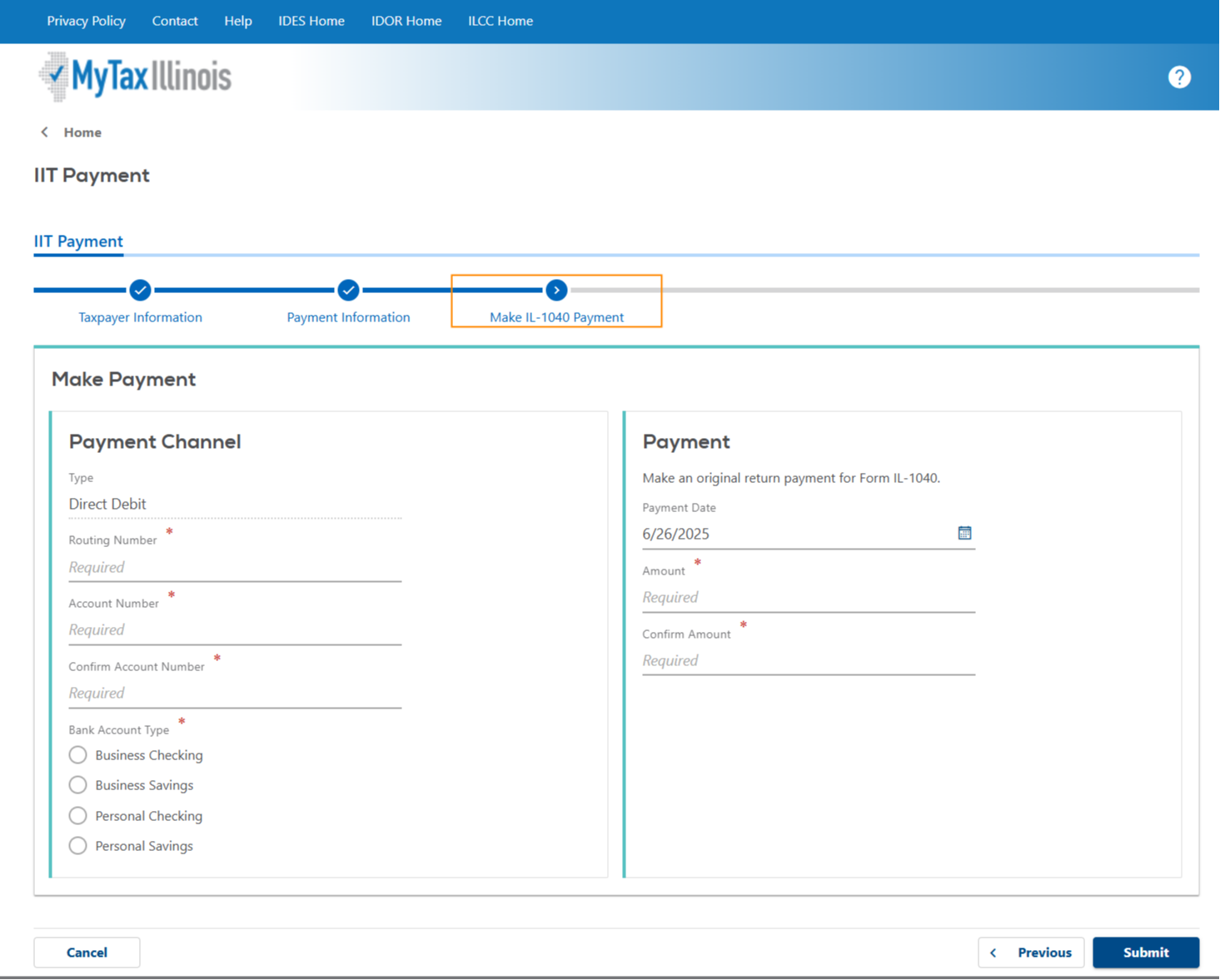
Step 4: Complete your payment information & Submit payment to Illinois
- Enter your bank account information and mark its type as either checking or savings.
- Enter the payment amount you wish to make and select the date you want the payment to be credited; you can schedule it for today – or for the appropriatetax deadline. Note: the payment may not go through on this selected date due to processing times.
- Click "Submit"
Step 5: Save Your Payment Confirmation
- Save a copy of your Payment Confirmation Receipt with your tax records!
The bottom line
Paying your taxes directly with Illinois is the safest and fastest way to pay your taxes.
Melchert & Humecki can help! We can schedule your tax and estimated payments for direct debit on the appropriate due dates when we file your income tax returns. Schedule a call with me today to discuss your tax payment options.